These are exciting times in the UK online gambling world, and it’s great to be able to report from the frontline as new casinos emerge into the market.
Holly - Online casino expert

Spin Casino Review
Published: January 2015
Last Updated: May 2026

Reviewed by Mike
Former online poker pro and web reviewer.








QUICK REVIEW
- 100% Up To £250
- 25% Up To £250
- 50% Up To £500
18+ only, new customers only. Opt-in required. 100% Match bonus up to £250 on 1st deposit of £20+. Additional bonuses of up to £250 on 2nd deposit of £20+ and up to £500 on 3rd deposit of £20+. 50x bonus wagering applies as do weighting requirements. Credit card, debit card & Palpal deposits only. Irregular gameplay may invalidate your bonus. Full terms apply
- Game Selection 4.8/5
- Bonuses & Promotions 4.7/5
- Mobile Options 4.9/5
- Banking Methods 4.9/5
- Safety & Security 4.8/5
- Software 5.0/5
- Customer Support 4.9/5
Overall Rating
Players Love It Because
- It has amazing slots from Microgaming
- It is the UK version of Spin Palace Casino
- New customers get bonuses for more funds
- Mobile gaming is simple on all devices
- Deposits can be made through various methods
- It has a certification from eCOGRA
Hits & Misses
Spin Casino - The best Bits
- Games developed & provided by Microgaming
- Welcome package up to £1,000
- Online since 2001
- 24/7 live support
- Safe, secure, & reliable banking transactions
Spin Casino - What Needs Impovement
- Limited variety of games
- Bonuses get smaller after first deposit
- Promotions are limited
Quick Facts
- DEPOSIT OPTIONS
- COMPATIBLILITY
- HEADQUARTERS
Malta - FOUNDED
2001 - PAYOUT SPEED
1 - 5 Days - FAVOURITE GAMES
Slots
Blackjack
Fruit Machines
Roulette
- PLAYERS
300,000+ - CUSTOMER SERVICE
24/7 Phone, Email, and Live Chat - WEBSITE
spincasino.co.uk - PAYOUT PERCENTAGE
98.73%

Games Selection
The collection of Spin Casino games is smaller in the version for non-download, but fans of the latest slots will be able to enjoy their time here without any issues. From the name it is easy to tell that the casino is focused on slots and our Spin Casino online review found more than 300 titles available that fit this description. These include the progressive jackpots that have awarded multi-million jackpots over the years, some of which were claimed on this very network.
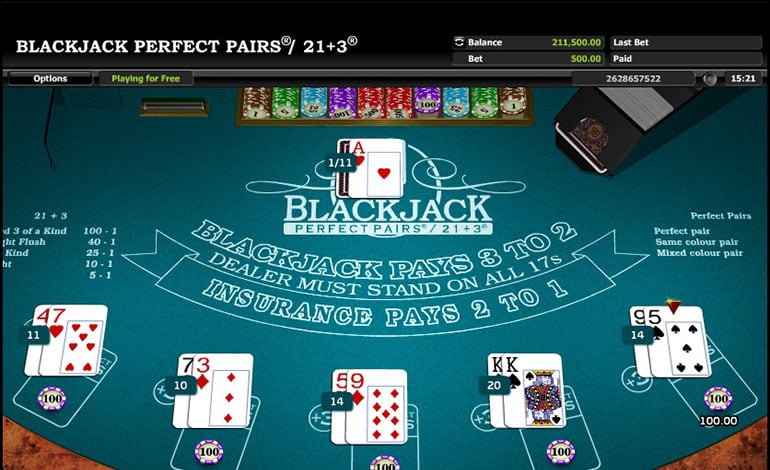
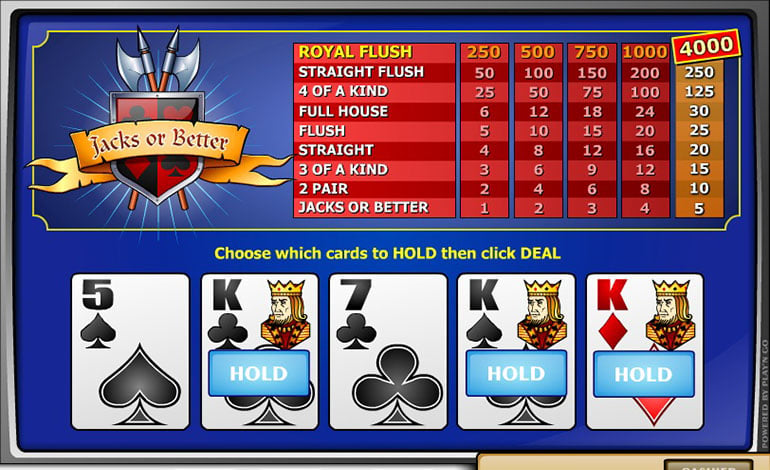
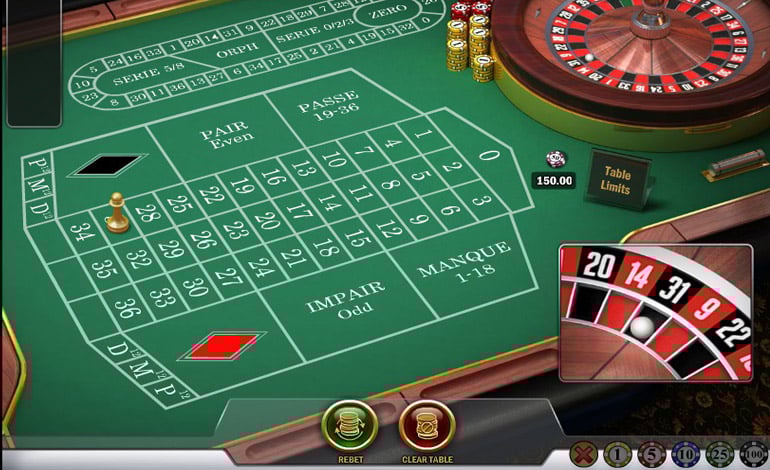
Other gaming options, like video poker and table games come in spades as well and the average payout ratio is over 97%. Winning is just a part of enjoying these games while the rich variety will make all players feel welcomed. Some classic slots can be found under the category for fruit machines and these normally have simpler mechanics and straightforward gameplay.
- Roulette
- Slots
- Video Poker
- Baccarat
- Blackjack
- Craps
BONUS EXCLUSIVE
Make a first deposit of at least £20 and get 50 free spins.
Register from CasinoOnline.co.uk and the starting bonus will be better than normal.
18+ only, 40x wagering required to withdraw bonus (game weighting applies). 2 day expiry for bonuses. Min deposit £20. Max bet 6.25 until wagering requirements completed. Full terms apply
Bonuses & Promotions
Before spinning the reels on the popular UK online casino, players can first opt in for the welcome package and get some much needed extra funds. Spin Casino will offer up to £1,000 to all new customers who register on the site and deposit at least £20 on three different occasions. The first bonus is a 100% match that will go up to £250. If this is not enough, the second deposit bonus can add another £250 from a 25% bonus. Finally, on the third deposit, players can get 50% up to £500. These offers have 50x wagering requirements which slots and a few other games will count 100% for, while table games contribute less for the same bets.
- 100% Up To £250
- 500 Free Club Points
- Loyalty Rewards
Apart from the welcome package, the website will not show many other promotions but this doesn’t mean that players will not get all sorts of rewards at Spin Casino. There are some special offers that are added on the platform and users are informed directly rather than through the regular site. Then there is the loyalty program that has a lot of benefits and gives each new player 500 Club Points for free to start things off properly. With six tiers, it is safe to say that all players can get the benefits they deserve based on their spending habits.
Mobile Options
From the very start, Spin Casino makes it clear that the awesome games are not just limited to desktop computers and that they can be taken with you wherever the day might take you. The Microgaming mobile option for Spin Casino is close to perfect since it is easy to access, compatible with pretty much all modern smartphones and tablets, and has around 120 titles. While the collection is not as big as the one of hundreds of games available on the main casino, it is worth pointing out that all of the mobile games have been optimized for touchscreens of different sizes and work flawlessly every time.
To play at Spin Casino mobile, players just need to go to the site from the browser on their phone or tablet. There is also the option to enjoy an application downloaded from iTunes that will have the same games, but in an environment exclusively for iOS. New players can register, while existing customers can use the same account info to log in, make deposits, and play for real money. You can expect to find some big progressive slots on the list that can make for an exciting session at any time throughout the day.
Banking Methods
Players from the UK will be able to find all the popular online payment methods when opening the cashier in their Spin Casino online account. This is because the operator is dedicated to having safe and secure banking transactions for both deposits and withdrawals. Visa, PayPal, NETELLER, MasterCard, and Skrill are all hugely popular and also simple to use since most players already have open accounts or cards with some of them. Deposits can be as small as £20 and go up to exceed £1,000 per transaction.
Withdrawals can be made through all of the listed banking methods apart for EntroPay cards, and the time it takes to have the money is an average of 72 hours. This does mean that some methods are much faster and if you really want to save time, web wallets are the way to go since they only take one day to complete withdrawals from the casino. British Pound is the only available currency on Spin Casino right now.
Safety & Security
The site is https verified by ESET so online security is not a concern, this is actually available at all times and not just on selected pages. Spin Casino is a leader in online betting with a lot of experience but its protocols for keeping customers safe are up-to-date with the latest regulations in the jurisdictions it is licensed. The multiple certifications on the page are there to let users know that they can put their trust in the operator and they will not be disappointed. Betway, who manages Spin Casino, is committed to protecting the privacy of its players.
Certified Secure & Fair by
- ecogra
- eset
Software
Spin Casino is the UK dedicated version of Spin Palace Casino, one of the most popular sites using casino software from Microgaming. As a result, it has plenty of experience in creating the ideal gaming environment and it doesn’t disappoint, with more than 500 games currently available in the downloadable client. The application available is really small and can be downloaded instantly from the site, while the smart installation will set up the software on your machine within seconds.
Although the downloadable casino is normally recommended, when it comes to Microgaming games, the same thrilling experience and amazing visuals can be found when playing directly from the website. Spin Casino offers a Flash version that is just a click away and it will present the classic lobby with the modern games. It even has the option to add an icon to the desktop to be easier to access in the future. Play money and real money options will be provided from the start.
Support Details
- Opening Hours: 24/7
- Live Chat
- Telephone
Customer Support
24 hours a day, 7 days a week, Spin Casino has a support team that will help with all different aspects that make up the gaming experience. A toll free phone number for the UK is listed and recommended, although, calls from mobile phones can come with charges. As a better way to ask questions and quickly receive answers, a window for live chat can be started after entering the name and email address. The classic email support option is not missing either and it usually doesn’t take more than 24 hours to get a response.
Customer support is always an essential part of real money betting on the internet since players have the right to be informed. Spin Casino covers this service very well.
Final Thoughts
Spin Casino keeps all the great things about the main casino online and makes sure that the focus is on UK players. The £1,000 welcome bonus offer is already iconic and new players who have just learned about it from our Spin Casino online review are definitely encouraged to register and deposit for the first 100% bonus. More money can be very useful when there are so many impressive online slot games to check out, each with a great theme and rewarding features.
The numerous banking methods will make it easy to deposit while the fast payouts guarantee that your winnings are never far away. Spin Casino is a great online gaming platform created with the help of Microgaming and you can join it today.